Introduction: Why Container Depots Need a Yard Management System
Container depots are under increasing pressure. Volumes keep rising, clients expect faster turnaround, regulations require full traceability, and customers demand real-time visibility. In this context, a Yard Management System (YMS) is no longer optional — it’s essential.
Once your depot handles over 30 containers a day, manual tools hit their limit. Whiteboards, spreadsheets, and radio calls quickly become sources of delay, stress, confusion, and costly blind spots.
Here are the most common pain points:
- Containers are lost in the yard due to outdated records.
- Trucks were blocked because yard moves weren’t logged.
- Repair workflows slowed down by scattered photos and manual approvals.
- Invoices are delayed due to missing or untraceable data.
- Exit errors, booking mistakes, and unrecorded moves.
- Operations are still dominated by paper and Excel.
- No real reporting on inventory, spare parts, turn-times, or revenue by client
These issues waste time, create friction, and damage trust. A depot processing 60 trucks per day can lose up to 10 hours daily due to these inefficiencies.
Shipzzer removes these obstacles.
This guide shows you how.
Shipzzer eliminates these pain points. This guide explains how.
The Hidden Costs of Depot Inefficiency
Beyond the visible delays and frustrations, manual depot operations create hidden costs that accumulate over time. Moreover, these costs often go unnoticed until they become critical business problems.
Lost revenue from capacity constraints:
When you can’t accurately track container positions, you underutilize your yard space. Typically, depots operating manually achieve only 60-70% of their theoretical capacity because operators need buffer zones to avoid confusion. However, with proper yard visibility, the same physical space can handle 20-30% more containers simply through better organization and precise stacking.
On top of that, poor tracking leads to unnecessary crane moves — especially for full-out containers. These “parasitic movements” not only waste time but generate hidden operational costs that add up quickly.
Customer attrition from service gaps:
Modern logistics companies expect digital integration. When your depot requires phone calls for status updates, manual photo requests, and email chains for approvals, you create friction that drives customers toward competitors with self-service portals. As a result, the cost isn’t just one lost client—it’s the cumulative effect of slower growth and reduced referrals.
Compliance and liability exposure:
Manual record-keeping creates gaps in your audit trail. Therefore, when damage disputes arise or regulatory inspections occur, incomplete documentation can result in rejected claims, penalty fees, or lost contracts. For instance, a single disputed damage claim without proper photographic evidence and timestamps can cost thousands in write-offs or legal fees.
Operational scaling limitations: Manual processes don’t scale linearly. Adding 50% more volume doesn’t just require 50% more staff—instead, it often requires 80-100% more because coordination complexity increases exponentially. For example, a depot handling 100 containers daily with manual tools might need 10-12 staff members, while a YMS-enabled depot could handle the same volume with 5-6 people.
Staff turnover and training costs:
Manual systems rely heavily on institutional knowledge. When experienced operators leave, they take critical information with them—which containers go where, which clients have special requirements, and how to navigate the informal processes. Consequently, training new staff takes weeks instead of days, and productivity suffers during the transition.
Hidden costs of ignoring multimodality
Sustainable depots are increasingly multimodal — managing flows by road, rail, and inland waterways. But without a centralized system to coordinate these channels, scheduling gets chaotic, resources are wasted, and data visibility disappears. Poor multimodal management leads to missed slots, idle cranes, and rising costs.
What Is a Yard Management System for Container Depots?
A Yard Management System (YMS) for container depots centralizes and digitizes all operations—from gate-in to yard placement, inspection, repair, and release. As a result, everyone, from operators to managers to clients, works from a shared, real-time view.
Understanding the difference between YMS, WMS, and TMS is important:
- YMS (Yard Management System) is designed specifically for inland depots. It tracks containers and equipment on-site, manages gate-in/gate-out workflows, EMRs, stacking logic, and full traceability. It’s what ensures your yard runs smoothly, in real time.
- WMS (Warehouse Management System) optimizes warehouse inventory and indoor storage, but doesn’t handle outdoor yard logistics.
- TMS ( transportation management system) focuses on transport flows rather than container positioning or depot management.
- TOS (Terminal Operating System) is tailored for port terminals, not inland depots. It handles vessel planning, berth allocation, and high-volume automation — often too complex or irrelevant for smaller depot operations.
With a proper YMS, you gain real-time visibility into container location and condition, OCR container recognition at the gate and in the yard, triggered workflows for inspections, repairs, and billing, and automated traceability with complete audit trails.
The Cost of Manual Yard Operations
Manual workflows break down in silence.
The damage often comes from small inefficiencies that repeat every day.
- Trucks may wait over 4 hours at the gate.
- Operators spend time searching for containers.
- Photos get lost between devices or emails.
- Repairs drag on for days due to back-and-forth email chains.
- Clients call multiple times a day for updates.
And for every repair quote, depot technicians must log into as many systems as they have clients — one for each shipping line. That means 10–15 browser tabs open, switching platforms to enter estimates and retrieve approvals. It’s tedious, time-consuming, and entirely avoidable.
These issues lead to real, measurable losses.
- Truck wait time: 15–40 min in manual depots vs 3–6 min with a YMS
- Lost containers: 2–8 per month manually vs 0–1 with digital traceability
- Invoicing time: Hours spent reconciling info vs instant billing with synced data
A modern YMS automates, connects, and secures your entire workflow — so your team can focus on execution, not firefighting.
decreases from 15–45 minutes to just 2–5 minutes. Furthermore, operator time lost to searching drops from 20–30% of a shift to just 5–10%.
Several warning signs indicate you’ve outgrown manual tools. These include frequent container searches, driver complaints about long wait times, clients requesting photos that you can’t locate, constant corrections to records, and delayed invoices due to missing data.
Chapter 3: What a Good Depot YMS Actually Does
A Yard Management System for container depots should simplify operations, not add complexity. Here’s what to expect:
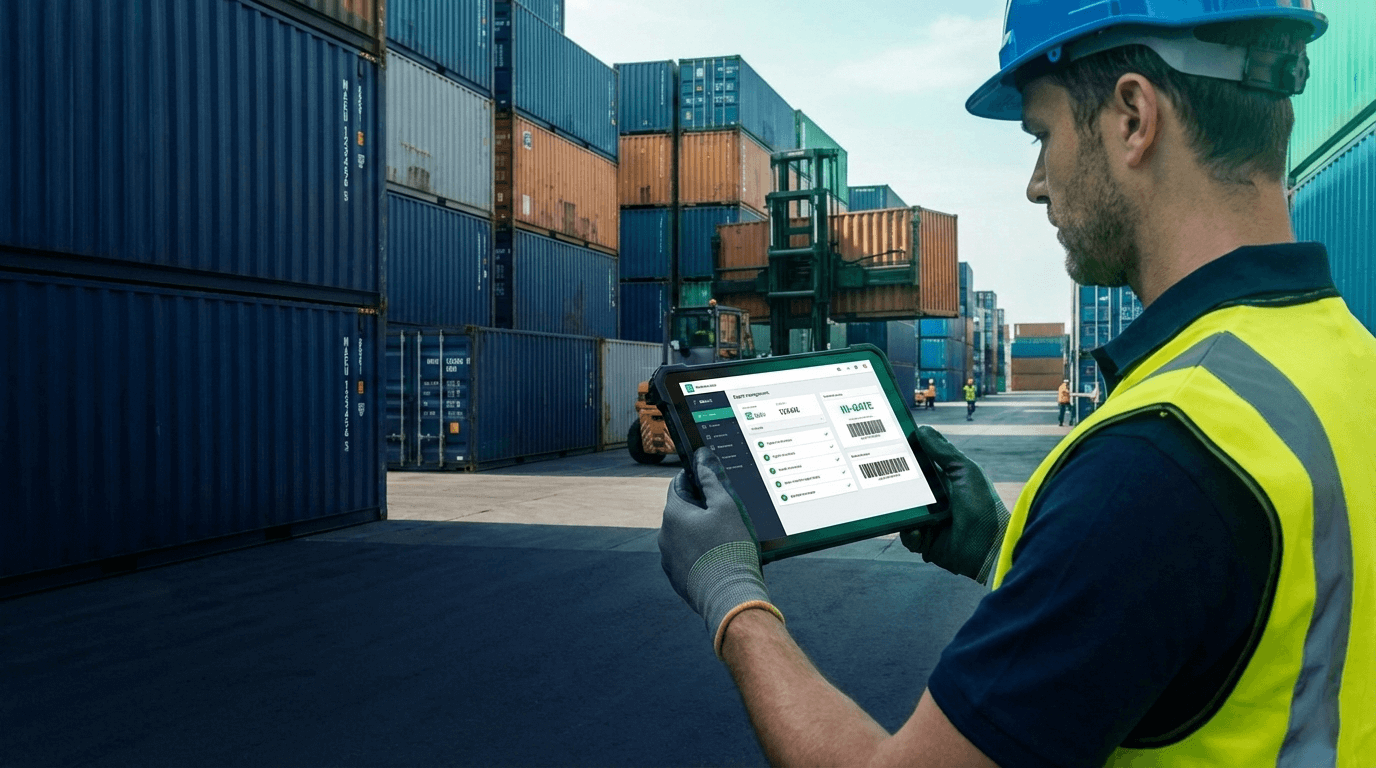
Fast, tablet-first gate workflows
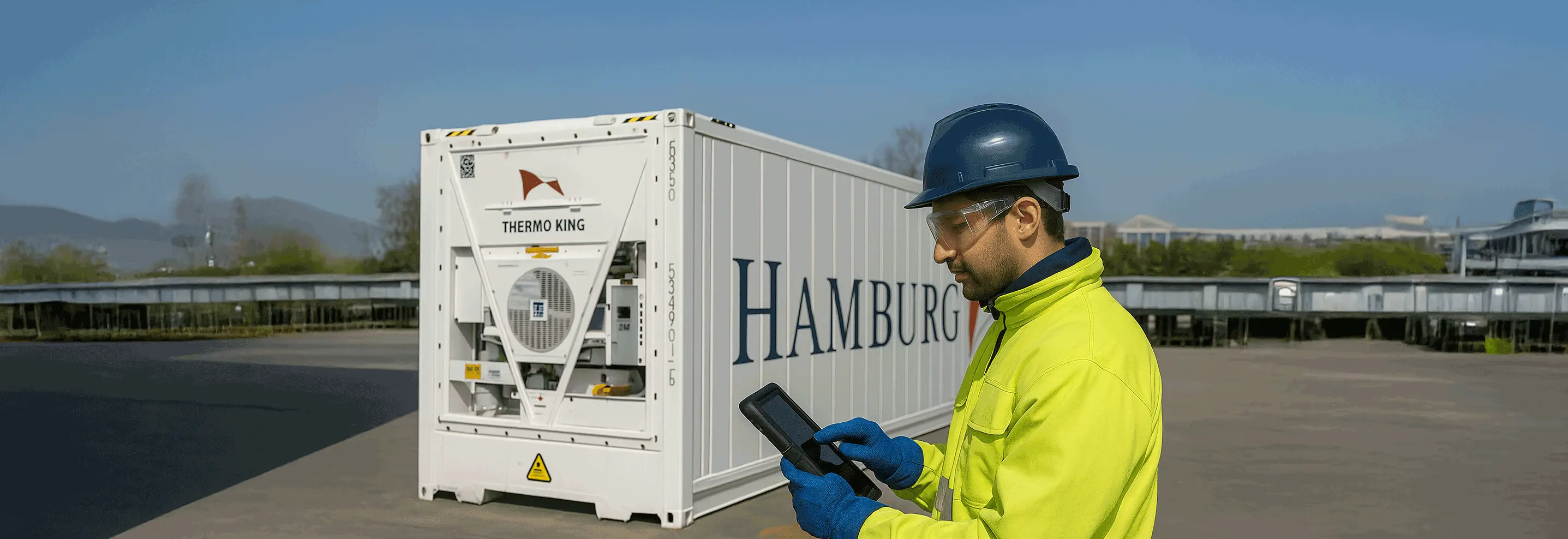
The right system streamlines every gate-in and gate-out in real time. Operators use a tablet to:
- Scan containers via OCR.
- Take auto-timestamped photos
- Collect digital signatures
- Conduct full inspections — directly on the tablet, as part of the gate-in process.
All data is captured once and flows instantly through the entire workflow: inspection, EMR, quoting, billing, and client portal — with no double entry or rework.
Accurate, real-world yard mapping
Your yard layout — zones, bays, lanes — is fully reflected in the system. Operators log moves with a tap, and the whole team sees live container positions in real time.
Structured EMR repair flow
The repair process is fully digital — and faster than traditional methods:
- Damage is detected and documented with photos.
- The system auto-generates a quote via EDI, aligned with shipping line standards.
- A validation threshold system allows work to begin without waiting for client approval.
- Repair steps are tracked, spare parts are managed automatically, and container status is updated in real time.
Result: fewer delays, full traceability, and clean documentation for invoicing.
Smart reporting and real-time alerts
You get a full 360° view:
- Live inventory overview
- Dwell time and turn-time by client.
- Alerts for exceptions like blocked containers or delayed repairs
- Revenue breakdown by client, stock level reports, and full audit trails
Multi-depot and multimodal management
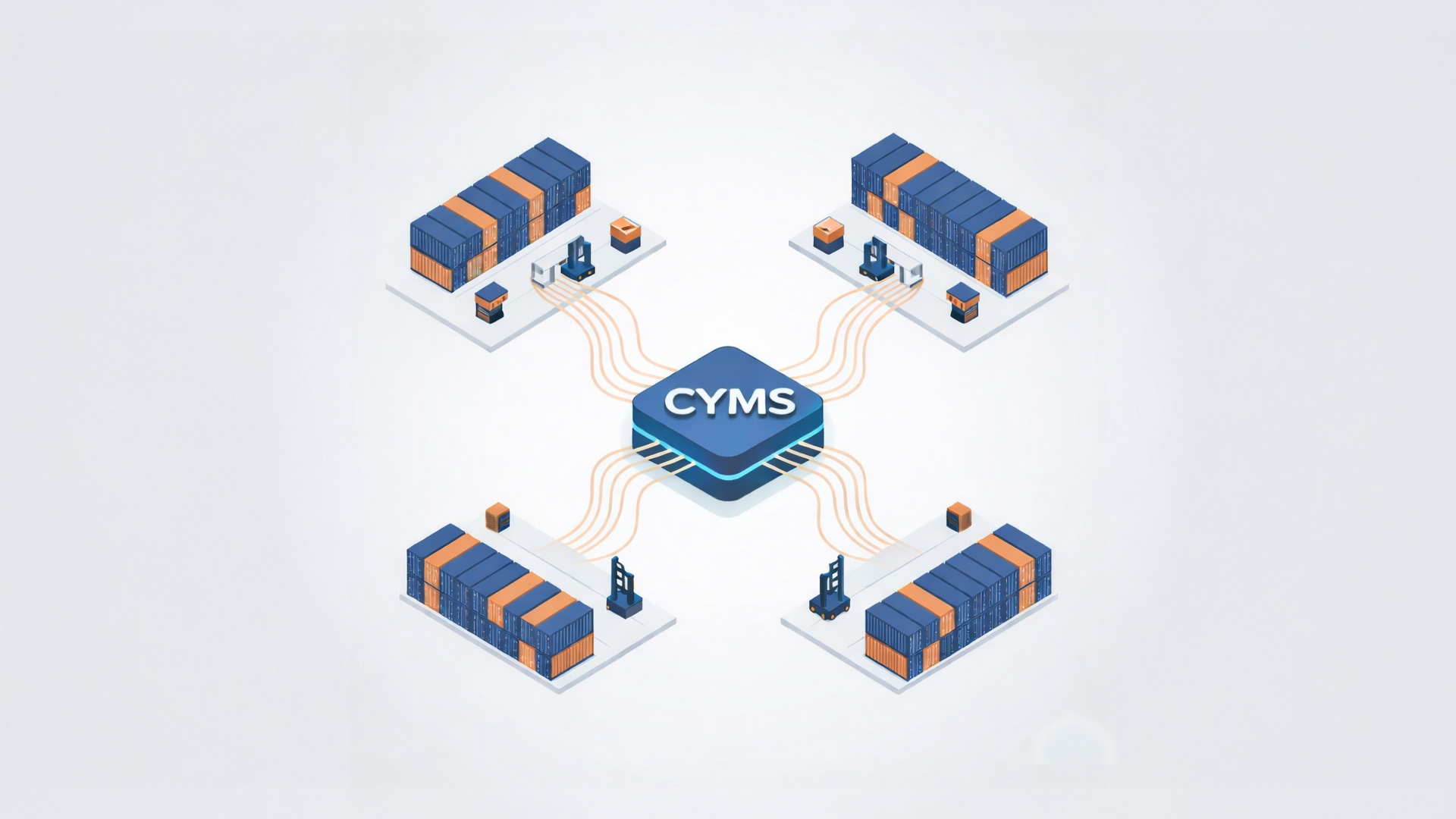
Manage all your depots from one dashboard — by road, rail, or inland waterway. Allocate containers across sites, balance capacity, and coordinate flows in real time.
Client portal = fewer calls, more autonomy
Clients log in 24/7 to view container status, photos, repairs, and history — no more phone calls or email chases. Your ops team can focus on what really matters: keeping the yard moving.
Billing integration that fits your stack
The system can generate ready-to-send invoices or integrate directly with your centralized billing software (like Sage, Odoo, Netsuite, SAP…). Data flows automatically, without re-entry or delays.
Key Features to Look for in a Depot YMS
Not all Yard Management Systems deliver equal value. When evaluating solutions for your container depot, certain features separate functional tools from transformative platforms.
Mobile-first architecture matters more than desktop capabilities:
Your operators work in the yard, not at desks. Consequently, you need systems designed from the ground up for tablet and mobile use, with interfaces optimized for outdoor viewing conditions, glove-friendly touch targets, and offline capability for when connectivity drops.
Flexible workflow configuration without custom development:
Every depot operates slightly differently. Therefore, your YMS should accommodate your specific processes without requiring expensive customization or developer intervention. This means configurable inspection checklists, customizable EMR workflows, adjustable user permissions, and the ability to define your own container statuses and yard zones.
Seamless integration with your existing tools
A YMS doesn’t operate in a silo — it should connect smoothly with your ecosystem. Look for platforms offering API access and native integrations with the tools you already use.
The right system should:
- Sync with your accounting/billing software (Sage, Odoo, SAP, etc.) for accurate, automated invoicing.
- Connect to your customers’ TMS platforms for booking visibility and smoother coordination.
- Interface with government systems to support customs or regulatory reporting when needed
- And crucially: handle repair management entirely in-house — from damage detection to quote generation and container status update — without depending on third-party vendors
Shipzzer is built to centralize it all, not fragment it.
Scalability across multiple yards:
If you operate more than one depot location, or plan to expand, your YMS should provide consolidated visibility across all sites while maintaining site-specific control. This includes centralized reporting across locations, shared customer data and pricing, consistent operational standards, and the ability to transfer containers between yards with full traceability.
Audit trail and compliance features:
Container depots operate in a regulated environment. Accordingly, your YMS should automatically create comprehensive audit trails including timestamped photos, user action logs for all status changes, complete container lifecycle history, and exportable reports for customs and regulatory requirements.
Performance under real-world conditions:
A system that works perfectly with 20 containers may struggle with 200. Therefore, before committing, understand how the YMS performs at scale, how quickly searches return results with thousands of containers in the database, whether the mobile app remains responsive during peak gate hours, and how the system handles simultaneous users across multiple devices.
Scalability without hidden costs
Your depot evolves — your YMS should follow without penalizing you.
- The same system must support yard management, gate management, and EMR workflows — no need to buy extra modules later.
- All historical data should remain accessible — whether it’s an interchange from last week or 5 years ago. No log retention limits, no hidden archiving fees.
- As you onboard new clients, you shouldn’t pay extra to your system integrator for every new EDI setup, tariff configuration, or workflow adaptation — that should be part of the base offer.
- And if your team grows? You shouldn’t be charged per user. A flat fee means cost visibility and predictable budgeting, no matter how your operations scale.
With Shipzzer, scalability is built in — not sold as an upgrade.
Chapter 4: How Shipzzer Transforms Depot Operations
1. Automating Operations: From Gate-In to Repairs
OCR container recognition on tablets ensures fast, accurate gate-in, yard moves, and updates — no more manual entry errors. This same technology is also used for PTIs, washing, and CFS operations, capturing clean data from the start.
EMR (Equipment Maintenance and Repair) is the beating heart of the system. When damage is detected, it’s photographed and linked instantly to the container. A repair quote is auto-generated via EDI. Based on predefined validation thresholds, repairs can start without waiting for client approval, reducing delays. The system tracks every step, manages spare parts stock, updates statuses in real time, and generates invoice-ready documentation — no emails, no silos, no back-and-forth.
Intelligent bay management lets you apply stacking rules with multiple custom criteria per bay (client, size, status, etc.). The system then guides forklift operators in real time, prevents misplacements, and avoids unnecessary moves by enforcing those rules.
2. Visibility, Planning, and Client Experience
The real-time inventory dashboard doesn’t just show what’s in the yard. It gives full container history: entry date, type, size, client, transporter, weight, PTI info (validity, status), and any special notes. It replaces guesswork with complete situational awareness.
Vehicle Booking System (VBS) reduces congestion by letting transporters book gate slots in advance. That means smoother flow, less waiting, and better workload balancing for your gate and yard teams.
Multi-depot management gives you control over all your sites — from one screen. Share data, balance loads, and standardize processes across locations.
Spare parts management ensures repair teams never run out of stock. Reordering is automated based on usage trends, and delivery tracking is integrated — so maintenance never stops.
The client portal offers 24/7 secure access to container status, photos, EMR progress, and history. Customers gain transparency. Your team gets fewer calls.
Quotation acceleration uses EDI-compliant formats to validate repair quotes faster — cutting wait times and speeding up invoicing.
Conclusion: From Operational Chaos to Clarity
Manual tools don’t meet the realities of modern depot operations. If you recognize the warning signs—frequent searches, delayed invoices, daily firefighting—you’ve reached the threshold where a YMS is no longer optional.
Shipzzer gives you one comprehensive tool to track, inspect, repair, and release containers. It provides live dashboards for managers, structured workflows for teams, photo-documented operations with traceable records, and instant client access to reduce calls and build trust.
Don’t wait for operations to reach a breaking point.
Schedule a call with our experts today and transform your depot with clarity.
About Shipzzer
Shipzzer is the first SaaS-based Yard Management System built specifically for inland container depots. It replaces spreadsheet chaos with real-time operational clarity — across one or multiple sites.
From OCR scanning to EMR automation, from multimodal support (road, rail, waterway) to 24/7 client portals, every feature is designed to simplify daily operations, reduce costs, and eliminate friction.
Unlike legacy tools, Shipzzer offers a fair, flat-fee pricing model with no surprise add-ons for more users, more clients, or more EDI connections — ensuring long-term control over your budget and scalability without hidden costs.