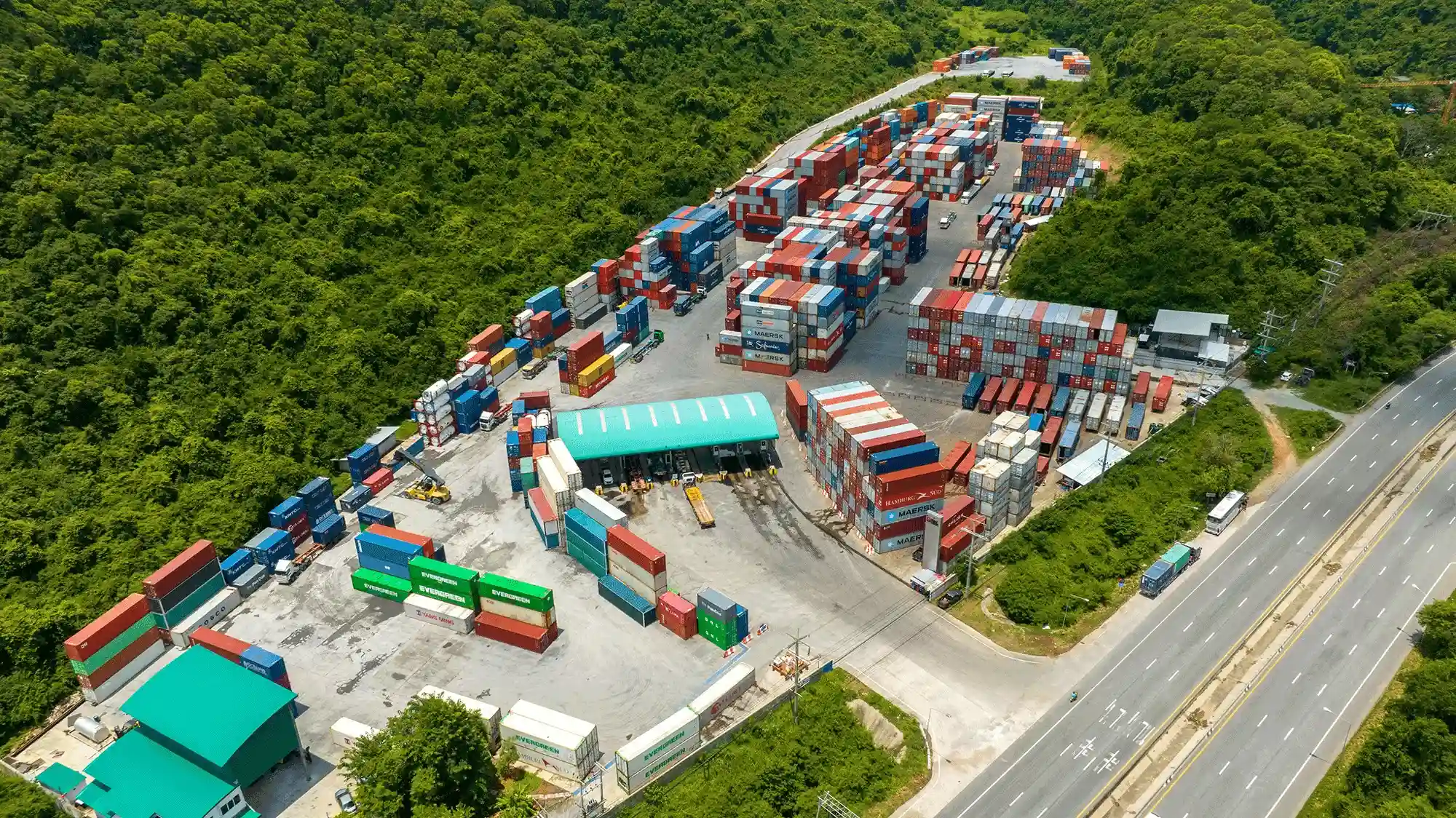
Container yard managers at ICDs and dry ports know the operational reality well: scattered photos across multiple devices, Excel sheets to track container IDs, desktop tools for quotes, and separate billing processes. Add to this the long queues at gates caused by unplanned arrivals, and operations quickly turn into mini crises.
Shipzzer automates all critical workflows — from gate-in to yard movements, inspections, inventory updates, and EMR (Equipment Maintenance and Repair) processes, finishing with gate-out — regardless of the asset type (chassis, container, or container on chassis).
Our fully integrated technology stack eliminates manual data entry, reduces gate queues through advance driver appointments, accelerates container turn-time, and ensures real-time synchronization with shipping lines’ systems.
1. Smart Workflows Powered by Innovation
Shipzzer embeds cutting-edge technology at every step of its workflows to boost container yard productivity and simplify repetitive daily tasks.
🎯 Use Case 1 : The EMR (Equipment Maintenance and Repair) Process
EMR is one of the most complex processes in a container yard. Here’s the ideal automated workflow as designed in Shipzzer:
- Automated quote generation with photos and damage declaration on containers (Dry or Reefer) via an intuitive visual interface.
- Automatic task assignment for repairs based on user roles and client-approved thresholds.
- Workflow adapts based on container type (e.g., Reefer-specific steps).
- Washing or PTI (Pre-Trip Inspection) performed with result declaration.
- If inspection fails, a quoting task is automatically assigned to a Reefer technician.
- Automatic reporting if external technicians intervene.
- Instant container blocking (status set to unavailable).
- Machinery quotes generated directly from the tablet, with pricing adapted to client contracts.
- Automated EDI transmission (FTP, SFTP, email, API, with or without photos) per shipping line requirements.
- Automated management of contract “thresholds” that allow or block repairs.
- Automatic blocking if parts are unavailable.
- Automated parts ordering from suppliers.
- Automatic allocation of incoming parts to priority quotes.
- Repair completion logged on tablet, container status updated.
- Container becomes available again, visible on the client portal and bookable.
- Revenue from repairs is automatically integrated into billable operations as a draft for monthly invoices.
✅ Operational Gains — Use Case 1: EMR Process
| Process | Estimated Time Saving | Explanation |
|---|---|---|
| Quoting | 60% | Instant access to parts inventory, references, pricing; fewer supplier calls; fewer re-entries; fast quote generation with annotated photos. |
| Repair Execution | 30% | Technician guided through tasks; real-time visibility on parts availability, exact location, and contract thresholds; less movement and hesitation. |
| Parts Inventory Management | 70% | Livestock visibility; automatic alerts triggered by thresholds; auto-generation of orders; incoming parts auto-assigned to priority quotes. |
| Client Relationship & Image | 60% | Increased client satisfaction due to faster response, control management, and transparency via client portal access to quotes, container history, and repair status. |
🚛 Use Case 2 : Gate & Inspection Process
This is the most frequent process in inland yards. It begins with truck arrival and varies depending on:
- Yard size
- Number of entry lanes (gates)
- Mode of transport (road, rail, barge)
- Daily volumes
- Physical site layout
Standard flow for a truck arrival by road:
- Truck arrives with container.
- Automated OCR reading of container number, ISO code, and license plate.
- Driver presents a QR code generated by the integrated VBS (Visit Booking System); agent scans it.
- System auto-identifies container if pre-advised or listed in port manifest.
- Manual entry only if needed (carrier/client).
- Immediate or deferred inspection — agent chooses based on yard organization.
- Damage declared via graphic selection on tablet.
- Automated EDI sent to shipping line or client depending on container status.
- Automated interchange creation (optional print).
- Interchange automatically sent to carrier.
- Container added to the client’s concerned bookings.
- Client portal updated in real time.
- Automatic task assignment for placement to a forklift operator with designated zone.
Operational Gains — Use Case 2: Gate & Inspection
| Process | Estimated Time Saving | Explanation |
|---|---|---|
| Gate | 3 min/container | Elimination of manual errors via OCR, volume anticipation through pre-advice (VBS), driver QR code scan, automated interchange generation; queue reduction and smoother flow. |
| Inspection | 4 min/container | Guided inspection on tablet, possibility to defer or delegate based on workload, fast damage declaration by graphic zone selection, automatic EDI dispatch. |
| Carrier Relations | +60% impact | Reduced waiting times, conflict elimination at gate, better organization thanks to VBS appointment system, perceived smoothness by drivers, improved yard image. |
2. Workflows… and Beyond!
Digitizing workflows with Shipzzer generates vast operational data. Properly leveraged, this data creates added value on multiple levels.
🔍 Multi-Yard Functionality
Highly valued by groups operating multiple sites, this feature enables:
- Real-time tracking of all dry ports/ICDs regardless of location.
- Visibility on active gates, most frequent carriers, operation durations.
- Monitoring volumes, container statuses, ongoing repairs.
- Access to parts inventory and yard asset register.
- Centralized documentation : interchanges, quotes, orders, invoices.
- Performance comparison across yards.
- Accelerated client invoicing.
| Role | Estimated Monthly Time Saving per Person | Explanation |
|---|---|---|
| Regional Manager | 20 hours | Fewer calls and emails, real-time accessible data. |
| Support Functions (Accounting, Purchasing) | 12 hours | Reduced wait for reports, no lengthy manual audits, direct KPI access. |
👥 Client Portal Functionality
A dedicated, real-time “cockpit” interface is accessible to yard clients.
Client benefits:
- Live view of their containers.
- Status visibility for each unit: available, under repair, pending evacuation.
- Immediate access to quotes with photos and details.
- Online quote approval.
- Advanced booking anticipation thanks to regional stock visibility.
3. Beyond ROI: Human and Relational Gains
Benefits are not just measurable in hours or euros — they also have a lasting impact on yard organization and ecosystem.
1. Reduced Internal Stress
- Fewer repetitive, time-consuming tasks
- Fewer calls to partners and suppliers
- Reduced paper printing
- Fewer internal emails
- Less conflict over quotes
- Improved work atmosphere and staff retention
2. Improved Yard–Client Relations
- Real-time traceability
- Increased trust in repairs (visual evidence, online quotes)
- More intuitive platform than shipping lines’ internal systems
- Higher client satisfaction → consolidated volumes
3. Improved Yard–Carrier Relations
- Gate waiting times reduced by 70–80%
- Fewer conflicts
- Reliable booking information
- Less paper documentation
- Simplified traceability for carrier invoicing
- Driver recommendations for the yard
- Enhanced yard reputation
4. Gains for the Entire ICD Ecosystem
The dry port/ICD ecosystem generally includes:
- Carriers (trucks and drivers, barges, trains)
- Suppliers (spare parts)
- Clients (shipping lines, agents, consignees, freight forwarders, others)
Main benefits observed when an ICD implements a yard management system like Shipzzer:
| Stakeholder | Main Benefits |
|---|---|
| Drivers | Reduced queue times thanks to VBS (appointment booking) |
| Field Teams | OCR = fewer errors, time savings, standardization |
| Depot Managers | Real-time dashboards, calls to teams only when needed |
| Clients (Shipping Lines) | EDI integration, instant status visibility |
| Finance (Depot) | Accelerated cash flow via automated EMR invoicing |
| Auditors | Integrated traceability: every action on every container logged |
5. Client Transformation Testimonials
Here are a few user experiences after several months with Shipzzer:
🌍 Regional depot network (4 sites) :
“The multi-yard view transformed our visibility. We instantly know what’s happening at each site: gates, inspections, movements, billing… everything is transparent.”
🚛 Carrier working with the depot for 10 years :
“Thanks to VBS, the 2-hour wait at the gate is over. Our drivers book a slot, arrive on time, and everything is validated automatically when presenting our booking number or QR code.”
🏭 Depot serving 8 shipping lines :
“EDI integration changed the game. Our quotes integrate directly into shipping lines’ platforms. No more reformatting, double entry, delays, or friction.”
6. Where to Start?
❌ Common Barriers to Transformation
- “It’s too complicated to implement”
- “My old system still works”
- “My teams won’t adapt”
- “We don’t have time to manage change”
- “What if EDI doesn’t integrate with my clients’ systems?”
👉 These misconceptions unnecessarily slow modernization. Every month without transformation risks losing competitiveness.
✅ 5 Simple Steps to Start with Shipzzer
| Week | Step |
|---|---|
| Week 1–2 | Platform presentation, demo of key use cases |
| Week 3 | Gap analysis with current processes |
| Week 4–6 | Yard design + pilot configuration |
| Week 7 | Pilot debrief + client contract setup + 3-day training |
| Week 8 | Inventory transfer (4h freeze) + launch + enhanced support for 1 month |
7. FAQ
Q: How is Shipzzer’s OCR technology different from a simple gate scan?
Shipzzer’s OCR is integrated on each tablet, automatically updating the entire system (gate, inspection, inventory) in real time. It’s not just a photo, it’s an ecosystem update.
Q: What’s the difference between VBS and a classic appointment system?
VBS optimizes slots and eliminates queues rather than just organizing them. It automatically connects appointments to the gate system.
Q: Why is EDI crucial for quotes?
It allows quotes to be instantly integrated into shipping lines’ platforms without manual formatting or approval delays. This is seamless for users and avoids time-consuming data entry on the shipping line system.
Q: What does “integrated tablet” mean?
All operational actions on site (photos, scans, data entry, quoting, washing, PTI, placements) are done via a single tablet — no external cameras, no file transfers, no double data entry.
Q: Is the Shipzzer pilot phase paid?
No. Subscription billing starts after the first month of service and covers only licenses and integration fees as per the contract.
Q: I already have a gate system. Can I adopt Shipzzer just for EMR?
Yes, that’s possible. It lets you gradually discover Shipzzer while measuring significant operational gains on repairs and parts inventory management. Integration in this case involves migrating your stock into Shipzzer, provisioning users, and integrating client contracts.
Leave a Reply